
What Is a Subnet?
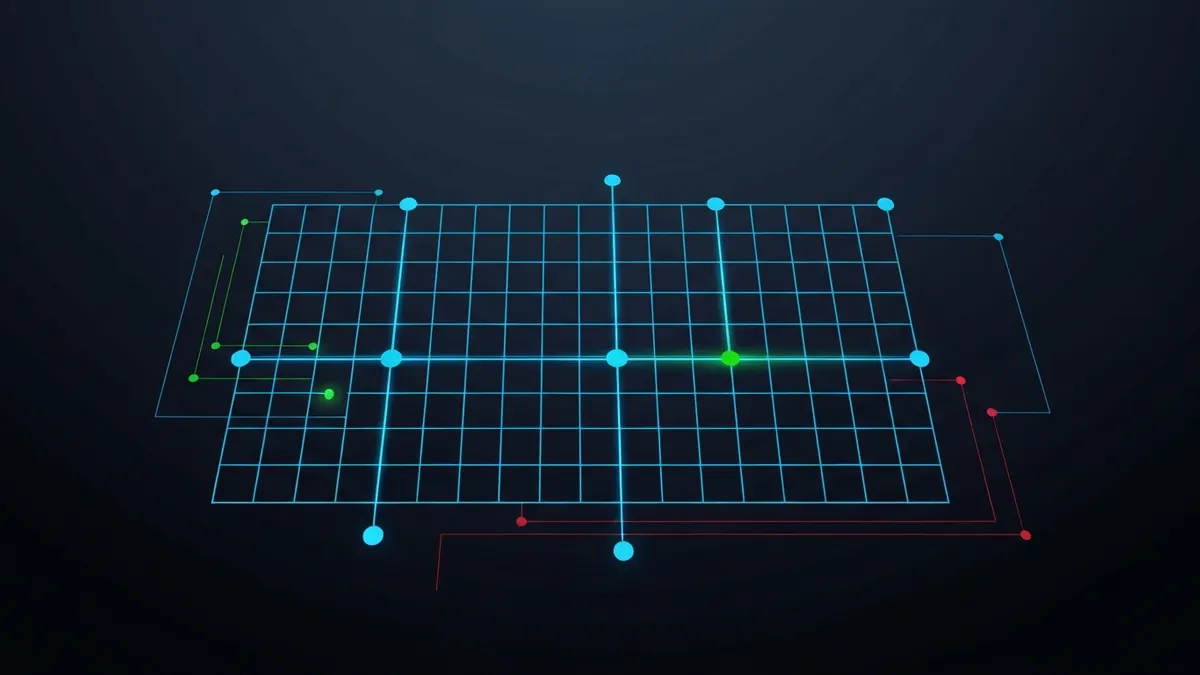
A subnet (short for subnetwork) is a logically partitioned section of a larger network. Subnetting divides a block of IP addresses into smaller groups, allowing network administrators to organize devices, limit broadcast traffic, and apply security policies at a granular level. Subnets are expressed in CIDR notation - Use our subnet calculator to break down any CIDR range.
Common Subnet Sizes (IPv4)
| CIDR | Subnet Mask | Total IPs | Usable Hosts | Typical Use |
|---|---|---|---|---|
| /8 | 255.0.0.0 | 16,777,216 | 16,777,214 | Large ISP / national network |
| /16 | 255.255.0.0 | 65,536 | 65,534 | Enterprise campus |
| /24 | 255.255.255.0 | 256 | 254 | Typical home or office LAN |
| /25 | 255.255.255.128 | 128 | 126 | Half of a /24, split departments |
| /28 | 255.255.255.240 | 16 | 14 | Small server segment or VLAN |
| /30 | 255.255.255.252 | 4 | 2 | Point-to-point router links |
| /32 | 255.255.255.255 | 1 | 1 (host route) | Single host route, loopback |
The Two Reserved Addresses in Every Subnet
In every subnet, two addresses are reserved and cannot be assigned to hosts: the network address (the first IP, identifying the subnet itself) and the broadcast address (the last IP, used to address all hosts in the subnet simultaneously). For example, in the subnet 192.168.1.0/24, the address 192.168.1.0 is the network address and 192.168.1.255 is the broadcast address, leaving 254 usable host addresses (192.168.1.1 through 192.168.1.254).
Why Subnetting Matters
- Reduces broadcast traffic - Broadcasts only reach devices within the same subnet, not the entire network.
- Improves security - Devices in separate subnets cannot communicate without passing through a router or firewall, enabling access control between departments.
- Enables efficient IP allocation - You assign only as many addresses as needed for each segment.
- Supports VLANs (Virtual LANs) - Each VLAN typically maps to one subnet, creating logical network separation over shared physical infrastructure.
- Required knowledge for configuring port forwarding, firewall rules, and VPN split-tunneling.
How to Subnet by Hand
Subnetting looks intimidating but follows one mechanical procedure. Suppose you have 192.168.10.0/24 and need four equal subnets:
| Step | Action | Result |
|---|---|---|
| 1 | Work out how many subnet bits you need - 4 subnets requires 2 bits (2² = 4) | New prefix: /24 + 2 = /26 |
| 2 | Calculate the block size - 2⁽³²⁻²⁶⁾ = 64 addresses per subnet | Subnets step by 64 |
| 3 | List the network addresses by counting in block-size steps from .0 | .0, .64, .128, .192 |
| 4 | For each subnet: first address = network, last = broadcast, rest are hosts | 192.168.10.0/26 hosts .1–.62, broadcast .63 |
| 5 | Check your work with the subnet calculator | Matches = done |
The binary view
What you are really doing is borrowing host bits. A subnet mask is 32 bits of 1s followed by 0s: /26 is 11111111.11111111.11111111.11000000, or 255.255.255.192 in decimal. The two borrowed bits enumerate the four subnets; the six remaining zero bits give 64 addresses each. A longer worked example lives in our subnet calculation FAQ.
Subnetting in IPv6
IPv6 makes subnetting simpler, not harder. The standard subnet size is a fixed /64 - The low 64 bits are always the host portion (interface identifier), so there is no juggling of block sizes or broadcast addresses (IPv6 has no broadcast at all; it uses multicast). A typical ISP delegates a /56 or /48 to a site, which yields 256 or 65,536 separate /64 subnets to assign per VLAN or purpose. See IPv4 vs IPv6 for the broader differences.
Why /64 is fixed
Stateless address autoconfiguration (SLAAC, RFC 4862) - The mechanism that lets IPv6 devices generate their own addresses without a DHCP server - Requires exactly 64 host bits to embed the interface identifier. Subnet an IPv6 network smaller than /64 and SLAAC simply stops working, which is why the rule is treated as non-negotiable in practice.
Why What Is a Subnet matters
At home you usually live inside one /24 and never think about it - Until you do. Setting up port forwarding, isolating IoT gadgets on a guest network, running Docker (which quietly creates 172.17.0.0/16-style subnets), or configuring a VPN that must not clash with your LAN all require recognising which subnet an address belongs to. The single most useful habit is reading an address-with-prefix at a glance: 192.168.1.37/24 tells you the network (192.168.1.0), the valid neighbours (.1–.254), and the broadcast (.255) - Everything you need to know whether two devices can talk directly.
Questions about What Is a Subnet
What subnet does a home network use?
Almost always a /24 - 256 addresses, 254 usable - In the 192.168.0.0/16 private range, such as 192.168.1.0/24. That is far more than most households need, which is why routers ship with it as a safe default.
What is the difference between a subnet and a VLAN?
A subnet is a layer-3 (IP) concept: a range of addresses that share a prefix. A VLAN is a layer-2 (Ethernet) concept: a logical switch partition. In practice they are paired one-to-one - Each VLAN carries one subnet - But they operate at different layers and are configured separately. Splitting a network into subnets without VLAN support, or VLANs without distinct subnets, both lead to designs that are hard to secure.
Why are two addresses unusable in every subnet?
The first address (all host bits zero) names the network itself and appears in routing tables. The last address (all host bits one) is the broadcast address that reaches every host in the subnet. Only the addresses between them can be assigned to devices - Except in /31 point-to-point links (RFC 3021), which use both addresses.
Continue learning about What Is a Subnet
Technical sources for What Is A Subnet
The technical claims on this page are drawn from the primary specifications and vendor documentation below.