
What Is an IP Address?
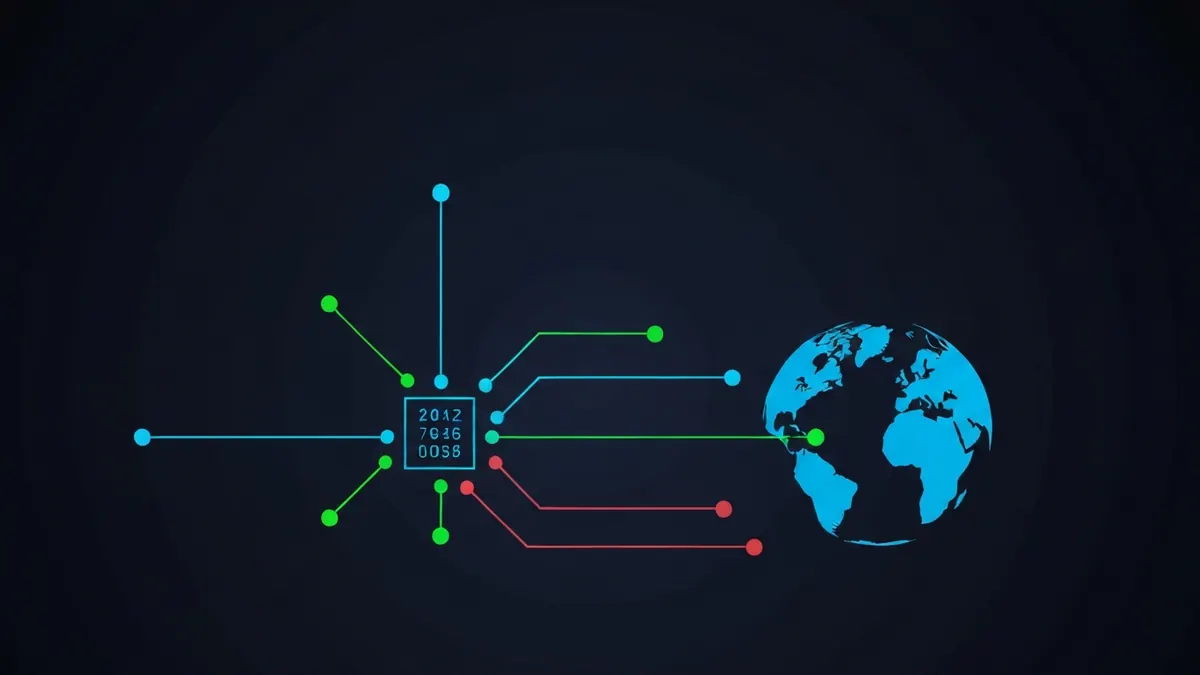
An IP (Internet Protocol) address is a unique numerical label assigned to every device connected to a network. It serves two primary functions: identifying the host or device, and providing the location of that device in the network, enabling routing of data across the internet. See your current IP address →
IPv4 vs IPv6
There are two versions of IP in active use today. IPv4 uses 32-bit addresses and is running out of space; IPv6 uses 128-bit addresses and was designed to replace it. Read the full IPv4 vs IPv6 comparison →
| IPv4 | IPv6 | |
|---|---|---|
| Format | Four decimal numbers (0–255), e.g. 192.168.1.1 | Eight hex groups, e.g. 2001:0db8::1 |
| Address space | ~4.3 billion | ~340 undecillion |
| Adopted | 1981 | 1998 (widespread since ~2012) |
| NAT required? | Often (due to address exhaustion) | Not needed |
| Current share | ~70%% of traffic | ~30%% of traffic |
Public vs Private IP Addresses
Your device likely has two IP addresses: a private IP assigned by your router (only visible within your home network) and a public IP assigned by your ISP (visible to the internet). You can look up any public IP address to see what information it reveals about its location and network.
| Type | Range | Visible to internet? |
|---|---|---|
| Private | 10.0.0.0/8, 172.16.0.0/12, 192.168.0.0/16 | No |
| Public | All other ranges | Yes |
| Loopback | 127.0.0.1 | No - Local device only |
Static vs Dynamic IPs
- Dynamic IPs are assigned by your ISP's DHCP server and can change each time you reconnect. Most home users have dynamic IPs.
- Static IPs are fixed and never change. Required for hosting servers, VPNs, and remote access.
- You can request a static IP from your ISP, usually for an additional monthly fee.
What Information Does an IP Address Reveal?
An IP address can reveal your approximate city, ISP, and whether you are using a VPN or proxy. It cannot reveal your exact street address or identity. Use our IP lookup tool to see what data is attached to any IP, or learn how accurate IP geolocation really is.
Who Assigns IP Addresses?
IP addresses are not random - They are allocated through a strict global hierarchy so that every public address is unique worldwide.
The allocation chain
At the top sits IANA (the Internet Assigned Numbers Authority), which delegates large blocks to five Regional Internet Registries: ARIN (North America), RIPE NCC (Europe, Middle East, Central Asia), APNIC (Asia-Pacific), LACNIC (Latin America), and AFRINIC (Africa). The registries allocate smaller blocks to ISPs and large organisations, and your ISP finally assigns one address to your router. This registration chain is why a WHOIS lookup can tell you which organisation is responsible for any public IP.
Where the standards come from
IPv4 is defined in RFC 791 (1981) and IPv6 in RFC 8200. The private ranges in the table above are reserved by RFC 1918, and carrier-grade NAT space (100.64.0.0/10) is reserved by RFC 6598. Because these documents are stable internet standards, the ranges they define do not change.
How to Find Your IP Address
Finding your public IP is the same everywhere: open a browser and visit the homepage - It is displayed instantly. Finding your private IP depends on the device:
| Device | Where to Look | Full Guide |
|---|---|---|
| iPhone | Settings → Wi-Fi → tap the ⓘ next to your network | iPhone guide |
| Android | Settings → Network & internet → Wi-Fi → tap your network | Android guide |
| Windows | Run ipconfig in Command Prompt | Windows guide |
| Mac | System Settings → Wi-Fi → Details, or ipconfig getifaddr en0 | Mac guide |
| PS5 | Settings → Network → View Connection Status | PS5 guide |
| Xbox | Profile & system → Settings → General → Network settings | Xbox guide |
Special and Reserved Ranges Worth Recognising
| Range | Name | What It Means If You See It |
|---|---|---|
| 127.0.0.1 | Loopback | "This device" - Traffic never leaves your machine |
| 169.254.0.0/16 | Link-local (APIPA) | Your device failed to get an address from DHCP - A sign of a network problem |
| 100.64.0.0/10 | Carrier-grade NAT | Your ISP is sharing one public IP between many customers |
| 192.0.2.0/24 | Documentation | Reserved for examples - Never used on the real internet |
| 224.0.0.0/4 | Multicast | One-to-many delivery (e.g. streaming inside a LAN) |
Why What Is an IP Address matters
For everyday use, three practical points matter. First, your public IP is the only address websites can see, and every device in your home shares it through your router's NAT - So household members appear identical to the outside world. Second, because your IP maps to your ISP and approximate city, it is the primary signal used for regional pricing, geo-blocking, and content licensing. Third, if you want to change what websites see, you must change your public IP - With a VPN, a proxy, or by switching networks; restarting a single device usually only changes its private IP. You can verify any change instantly with the IP lookup tool.
Worried about what a stranger could do with it? Read whether someone can hack you through your IP address.
Questions about What Is an IP Address
Can two devices have the same IP address?
Two devices can never share the same public IP and the same private IP at the same time on the same network. However, millions of homes reuse identical private ranges (192.168.1.x) internally, and many devices can share one public IP through NAT. A duplicate private IP on one network causes an address conflict and connection failures.
Does my IP address change when I restart my router?
Sometimes. Most home connections use a dynamic public IP, and a router restart may trigger a new assignment from your ISP's pool - But many ISPs re-issue the same address for weeks or months. Check your address before and after restarting to see your ISP's behaviour. See the static vs dynamic FAQ for details.
Is an IP address personal data?
In many jurisdictions, yes. Under the EU GDPR, an IP address is treated as personal data when it can be combined with other information to identify a person. This is why websites that log IP addresses typically disclose it in their privacy policies.
Continue learning about What Is an IP Address
Technical sources for What Is An IP Address
The technical claims on this page are drawn from the primary specifications and vendor documentation below.